

What is this?
A product validation approach I’ve been thinking about that uses AI to speed up the boring parts. The idea isn’t to remove the human from the loop—it’s to make the loop so much faster that it feels like a completely different process.
I think 10x faster/cheaper tends to have more of an impact on how you work than just “a bit faster.” When we moved from film photography to digital the workflow changed. With film you were more careful about what you shot, you had 36 shots in a roll. With digital you click as many pictures as you want and delete the ones you don’t need later. When something takes a weekend instead of a month, you’re more willing to try it. You’re more willing to throw it away if it doesn’t work. That’s the goal here. (Philosophically, I think it’s an open debate as to which approach is better but certainly the second approach wasn’t possible before so I am interested in exploring it).
I haven’t battle-tested this yet so take it with a grain of salt—but I think the approach is interesting enough to write about now and then follow up with results later after I have run through this a couple times.
The Three Phases
I’ve broken this down into three chunks: Initial Research, Validation Marketing, Iteration.
Here are the goals:
Initial Research: This is for you to look into the idea and learn about the lay of the land and decide if you want to take this to the next step
Validation Marketing: I call this validation marketing because the goal isn’t to sell but to learn what works and collect an audience along the way (e-mail lists, followers, etc.)
Iteration: This is the human in the loop - take the learnings from the previous two stages and decide what to do next. Tweak the product concept? Change the ads? Start over with another product concept entirely? If done right, you now have an audience from step two to talk to about your tweaks before you start the loop again.
A Quick Note About Tools
Here are the tools I find useful and have used for items in the rest of the post below.
(Note: I gain nothing from you signing up to them, this is just to share my current workflow).
Kagi - privacy friendly search engine
Their search-assisted AI is the best I have found so far. I use the Ultimate Plan as it has a special research mode.
OpenWebUI - self hosted chatGPT UI
This is the “heart” of the system and how the output from a lot of these sections talk to each other. I add output from all AI models to an openWebUI folder (called a “knowledge base”) that the model can reference later
Canva
Logo generation
Leonardo.ai
Image and video AI models - I really like the outputs from this tool
Huemint - colour palette generator
This comes up with colours palettes very quickly and I can cycle through a few before I hit something I think is a good fit for a specific idea
Carrd / GetResponse:
For landing pages.
I have used Carrd for a long time and it’s a good tool
GetResponse claims to be more integrated from an analytics and email marketing perspective. It even offers basic ad management. Seems interesting enough that I am taking it for a spin.
Initial Research
The goal here is to quickly figure out:
Are people talking about this problem? — Find mentions of the problem or similar problems online. Forums, Reddit, Twitter, product reviews complaining about something. You want to know if real people actually care.
What competitor products exist? — Who’s already selling something in this space? What do their products look like? What do customers say about them?
What competing solutions exist for the same problem? — Sometimes the competition isn’t a direct competitor—it’s a workaround, a DIY solution, or just people tolerating the problem.
This is also a good place to add constraints that are important to you (for example “Could this go from idea to revenue in 90 days?”).
How?
Kagi’s research assistant is great for the research phase to try and find information and put together a summary to the questions you feel are important to have answered
Once I have done AI-assisted research I will move the collected information to OpenWebUI so that future conversations can reference this research
The output of this phase: enough context to decide whether to keep going, and enough material to inform your product positioning.
Marketing
Once you’ve decided the idea is worth testing, you need to get something in front of people. The goal is minimum viable marketing—just enough to run a credible test.
Minimum Viable Branding
You don’t need a brand agency. You need:
A brand name (openWebUI brainstorm with AI with previous conversation context, pick one)
A tagline (same)
A color palette (I use Huemint)
A logo (Canva’s AI logo generator works fine)
This takes maybe 15 minutes. It won’t win design awards but it’s good enough to pass the sniff test and get the audience to look at the product and decide if they want to demonstrate interest (eg. by signing up to your e-mail list).
Audience Definition
Who exactly are you selling to? I work through this with AI as well:
What’s the problem? What are current alternatives? Why are they inadequate?
Come up with 3-5 candidate customer profiles
Pick one primary target (you should do this one, not AI)
Write a one-sentence customer definition
Sanity check: are they reachable? Is the market large enough? Use your advertising platform of choice’s targeting tools to check.
In reality I do this before branding because this should feed into the branding but to read a blog post it flows better this way so I have left branding first.
Asset Generation
This is where AI image/video generation is genuinely useful. You can create product visuals without having a product.
Pull reference images from competitors or suppliers
Use AI tools to generate product shots, carousel images, lifestyle images, with the branding you want
Generate short videos from images if needed
I’ve been using Leonardo.ai and the quality is good enough for ads and landing pages.
It’s quite believable that AI could do marketing research and come up with some audience definition information or landing page copy. It’s possibly a bit harder to believe that it could do it well.
But asset generation seems like the kind of thing AI can’t get right. It was the missing piece for a while, in my opinion. But the models are good enough now to get what we need out of them.
As an example, if this is the input to the system:
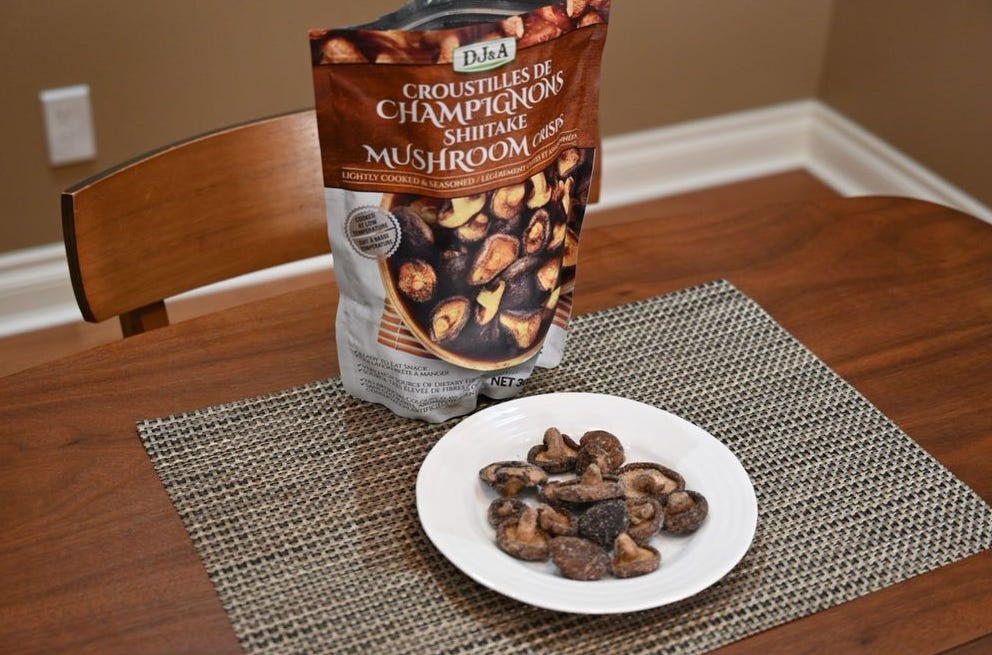
Here’s what we can get out of it.
Video for advertisement:
Image carousel for landing page:
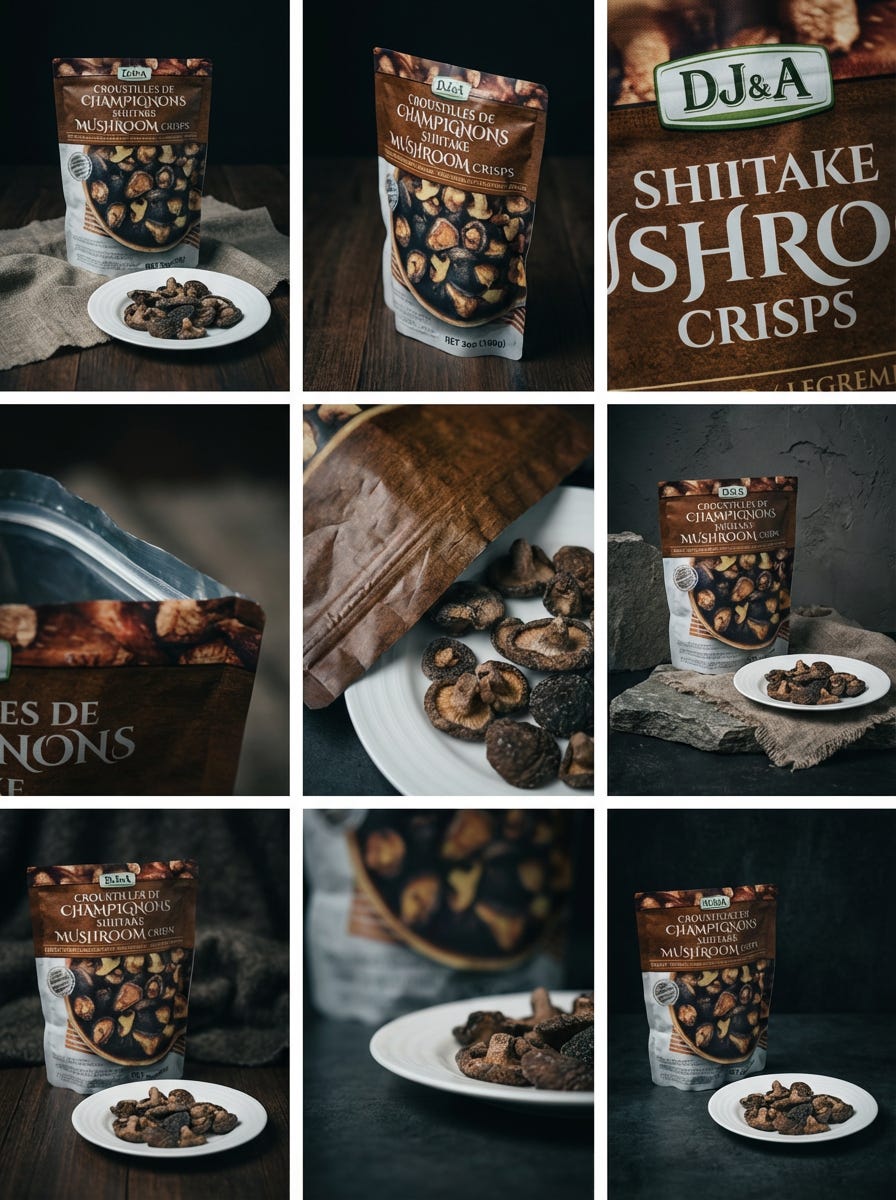
Copy Generation
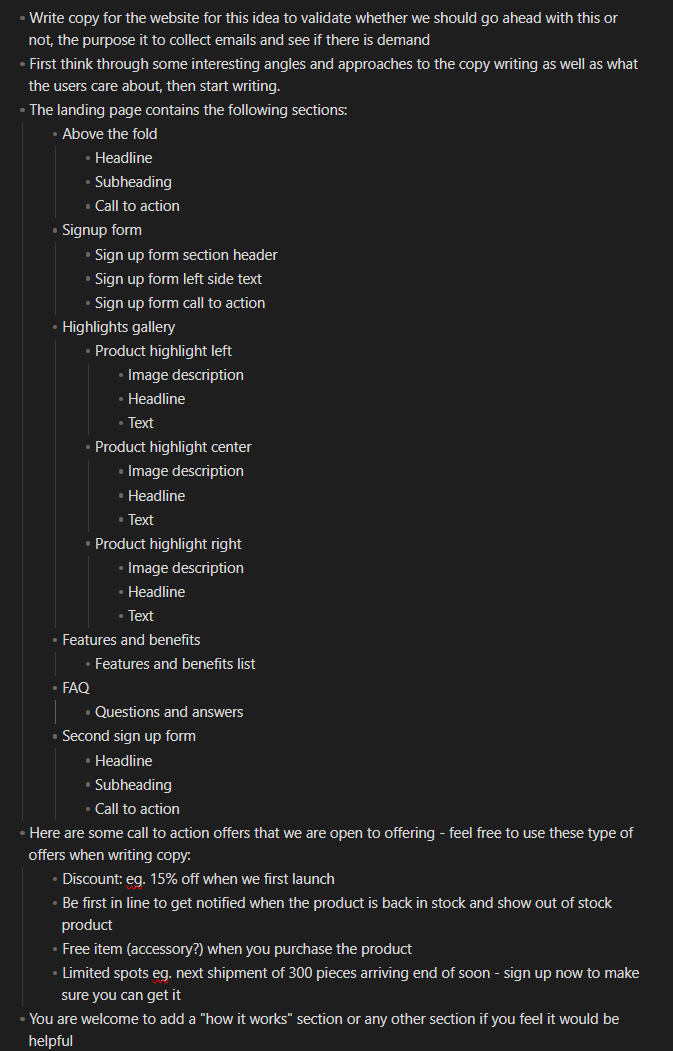
Landing page copy: I feed the knowledge base context to openWebUI brainstorm with Opus to write landing page copy
I have a skeleton structure for the landing page that I feed to the AI as well so it knows what kind of things to generate. In theory we are leaving some creativity on the table in terms of structure but a well formatted landing page is a good starting point and my hope is the speed we get out of this will make it worth it.
Here’s an image of the prompt I use (+ it has all the knowledge of conversations prior to this):
Ad copy: Same process, but formatted for ads
Ad scripts: If you’re doing video ads, get AI to draft scripts based on your audience and positioning then generate then using your tool of choice
Landing Page
I have made a template in two website builders based on the structure I shared above and can plug in the copy and assets. Nothing fancy. The point is to have somewhere to send traffic to.
In terms of tools I am currently testing both Carrd and GetResponse. I have used Carrd for a long time and it’s solid, but GetResponse claims better integration with analytics and email so I am taking it for a spin. I’m quite happy to fall back to Carrd if GetResponse causes issues. This is an implementation detail anyway and not really core to the experiment.
Iteration: Human in the Loop
At this point you’re ready to run ads and start learning. The human is still very much in the loop. You’re making decisions about what to test, how to interpret results, whether to iterate or kill the idea.
The difference is the loop is now a lot faster and cheaper to execute. You can test an idea in a day instead of a couple weeks. You can test multiple ideas in parallel. And when something doesn’t work, you haven’t sunk much into it. This also sounds like the type of process that is easy to operationalize and scale; run by a small team testing multiple ideas in parallel. Something to explore later.
What’s Next?
I’m going to run a few ideas through this process and see what happens. Will report back on what worked and what didn’t. I think there are some parts of this process that raise a few questions (how do I know if it’s a product issue or a ad targetting issue, for example?) but I am hoping as I run this playbook a bit more I can learn about what happens in the real world.
If you have thoughts or have tried something similar, I’d be curious to hear about it.